The project picture.
Commercial information scoped to the person reviewing it, alongside consolidation across projects.
 ORGVIEW
Run your projects, your people and your commercial operation from one connected platform.
Built for developers, housebuilders and contractors.
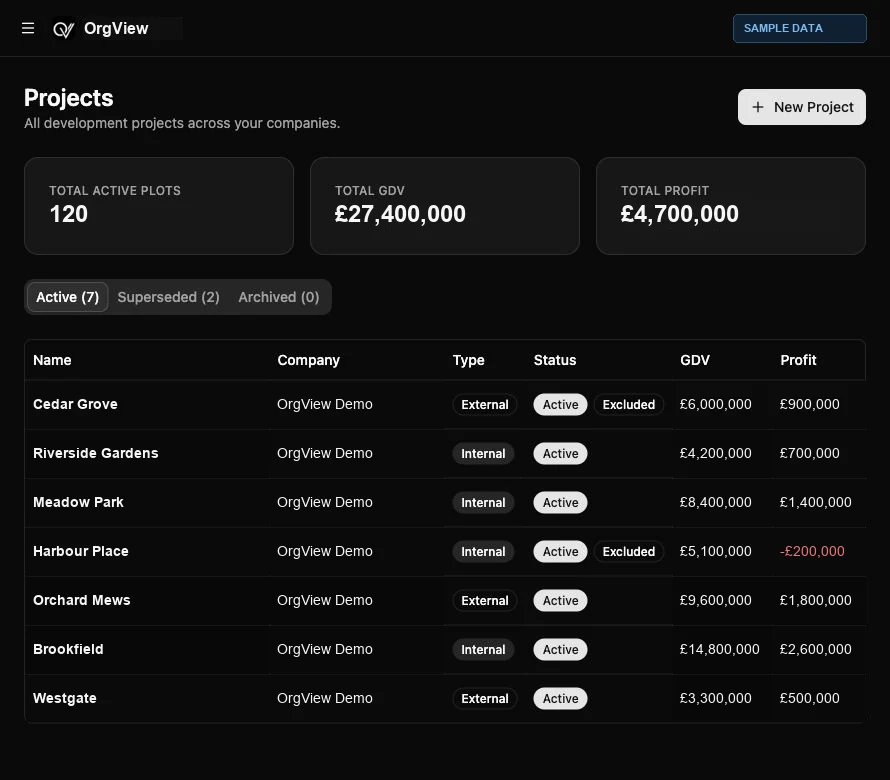
Keep the commercial detail close to the project. Keep the project close to the people delivering it.
Manage developments across your companies, with project status, plots, house types and commercial visibility in one place.
A budget is only the beginning. Follow commitments, orders, applications and costs through to the forecast and cash flow.
Explore commercial workflows ↗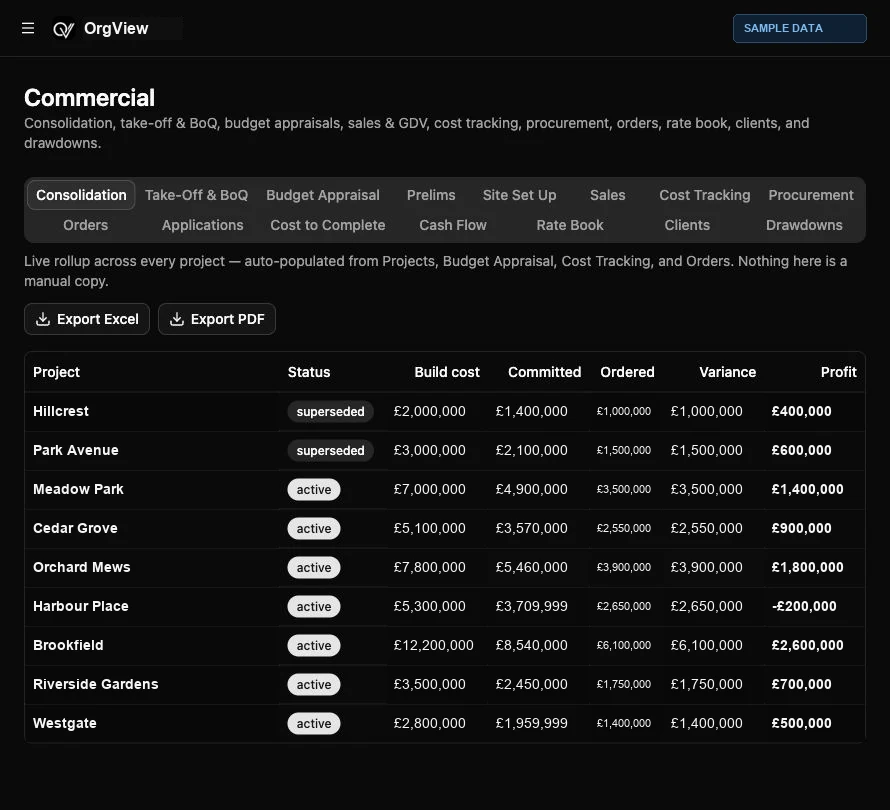
Bring your businesses and SPVs into one Accounts workspace. Companies House data connects company details, directors and filing deadlines to the company record.
Keep annual accounts and confirmation statement dates visible alongside bank accounts, finance facilities and connected accounting tools.
Explore the Companies House integration ↗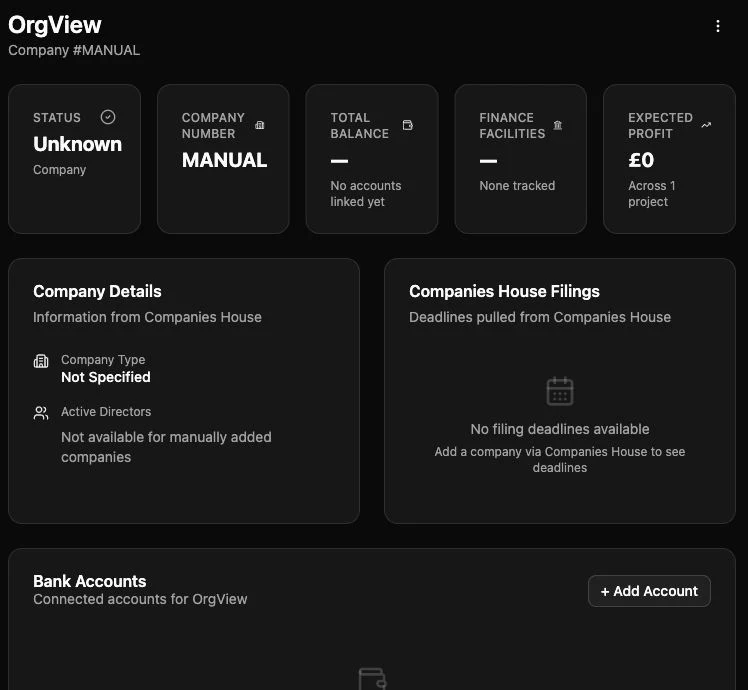
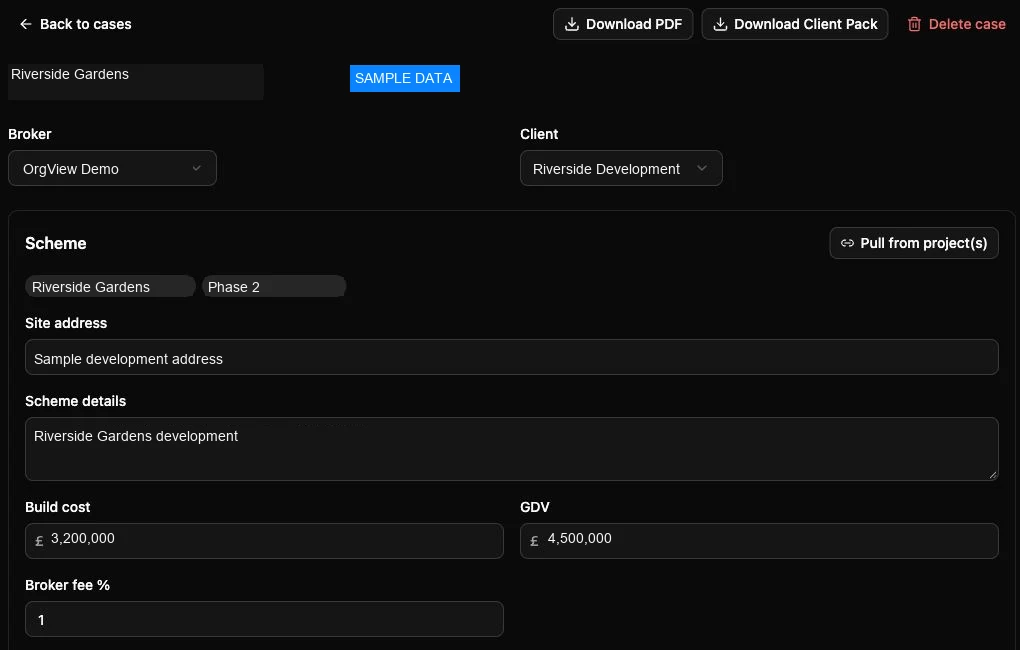
Keep scheme details, build cost and GDV together. Structure development, mezzanine and equity finance, with calculations for raises, fees and interest.
Bring project information into the finance case, manage timelines and information checklists, and export PDF documents and client packs.
See development finance in a demo ↗Connect technical records, site activity, commercial decisions and project reporting. Give each team the context they need without rebuilding the same picture in separate spreadsheets.
Bring planning permissions, design information, conditions and RFIs together. Connect site inductions, daily sign-in, call offs, daily reporting and plot photos to the work on the ground.
Explore project delivery ↗Review commercial performance and accounts through dedicated reports. Use Excel and PDF exports to bring project information into your existing reporting process.
Explore leadership visibility ↗Commercial information scoped to the person reviewing it, alongside consolidation across projects.
Accounts reporting and bank-balance visibility, connected to the platform’s financial records.
Explore the connected capabilities behind OrgView.
Take-off and bills of quantities, budget appraisal, prelims, site set up, sales, cost tracking, procurement, orders, applications, cost to complete, cash flow, rate book, clients and drawdowns. Alongside accounts, double-entry bookkeeping, quotes and capital finance.
Explore finance →Land opportunities, companies and SPVs, active and superseded projects, plots, house types and build stages. Keep your development structure connected to the commercial record.
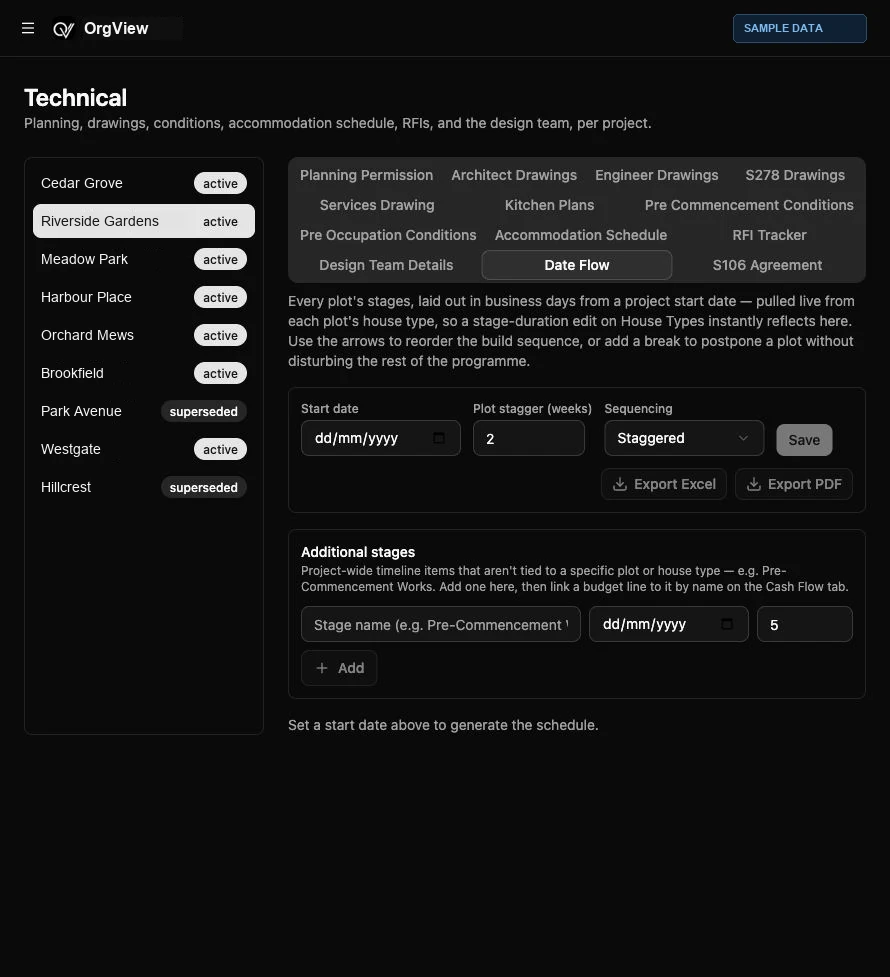
Explore development →Planning permission, architectural and engineering drawings, services and kitchen plans, pre-commencement and pre-occupation conditions, accommodation schedules, RFIs, design teams, Date Flow and S106 agreements. Site inductions, daily sign-in, call offs, daily reporting and plot photos.
Explore technical →Role-based team access, tasks, documents, QR codes, connected mail and audit records. AI-assisted take-offs and house-type CGI generation. API key management for the read-only reporting API. Commercial and accounts reporting, with separate access for investors, clients and homebuyers.
Explore the platform →OrgView models your real structure — from group holding company down to individual plots — not a flat list of projects.
Explore the current role permissions, then select a capability. Product views use actual OrgView screenshots with labelled sample data.
Explore the platform’s capabilities. All product images are actual OrgView screens with labelled sample data.
They get one dedicated screen — read-only, scoped to exactly what you've shared, with no sidebar and no reach into the rest of the org. Try it above under "External."
Invite external, read-only access scoped to exactly the sections you choose — funding position and returns, without opening your books.
Invite a client to log in and see their project — read-only, scoped to exactly the sections you choose. No edit controls, no other project's data.
A login for a homebuyer, tied to one plot. They see their home, their spec, their upgrades, and their key dates — nothing else in the org.
Every commitment traces back to a budget line; every budget line traces forward to a final margin. Real double-entry bookkeeping underneath, not a bolt-on spreadsheet.
Today, Reports covers Commercial and Accounts reporting, scoped by role — a Quantity Surveyor and a Director see different things, on purpose. Every posted financial entry and every team invite is written to an immutable audit log.
Not a sign-up form — a structured rollout, built around how your business actually operates.
Understand your organization structure, processes, existing systems, and reporting requirements.
Configure the OrgView operating environment around your companies, developments, and roles.
Users, companies, developments, workflows, permissions, and reporting scopes.
Bring across the data that matters — projects, budgets, contacts, documents.
Connect Outlook, Companies House, and the other systems already in use.
Controlled testing with real users before anything goes live.
Role-specific training — a Site Manager and a Finance Director learn different things.
Deploy by department, region, or business unit, where appropriate.
Production deployment.
Ongoing support and optimization once you're live.
OrgView exists because housebuilders run their business across too many disconnected spreadsheets, inboxes, and point tools — land in one place, budgets in another, site records in a third, and no single version of the truth for anyone above plot level. OrgView is built to be that single system: the operating environment a housebuilder actually runs on, from the org chart down to an individual plot.
Tell us a little about your business and we'll set up a walkthrough scoped to how you actually work.