Explore how project structure, commercial decisions, technical information and site records connect in OrgView. An illustrative product walkthrough using sample data.
Illustrative product walkthrough
Follow the information through the development.
This walkthrough explains product capabilities. Screenshots use illustrative names and financial figures.
01
Establish the project structure.
Place the development under its company, define its plots and house types, and keep its status visible in the portfolio.
02
Connect the commercial workflow.
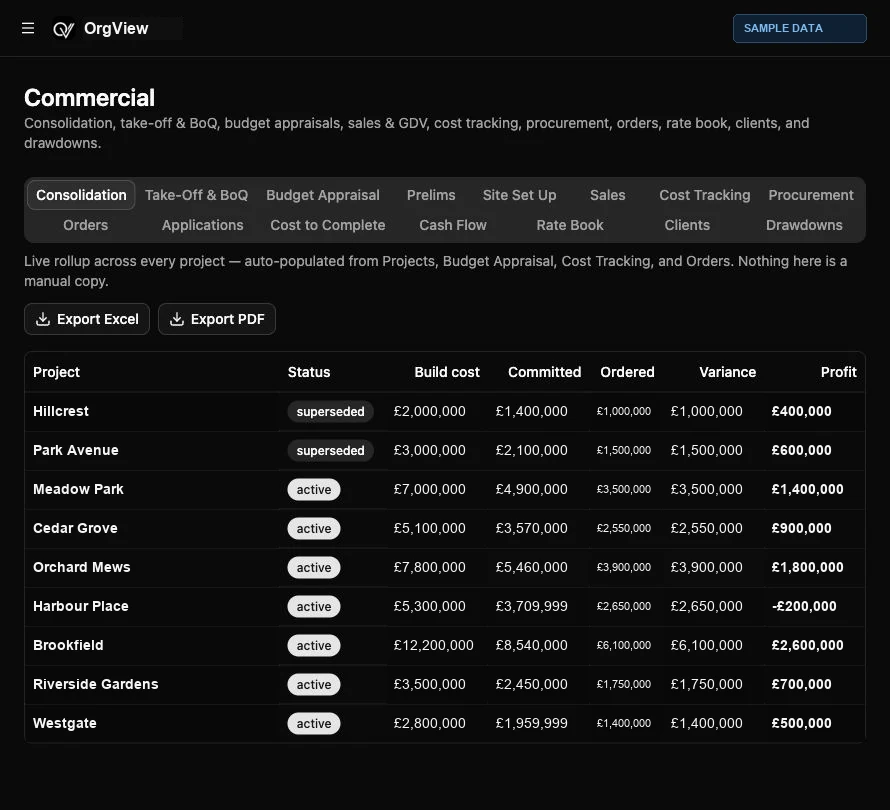
Follow budget appraisal, procurement enquiries, orders, applications and cost tracking through to cost to complete and cash flow.
OrgView / Commercial
Actual interface · illustrative names and financial figures.
03
Keep delivery information together.
Track drawings, conditions, RFIs and Date Flow in Technical. Use site records for inductions, daily sign-in, call offs, reporting and plot photos.
04
Review and share the picture.
Use role-scoped commercial and accounts reports, export relevant information and share selected project information through external access.
Explore your workflow
Bring your own project to the conversation.
See the capabilities that matter to your team in a tailored product demonstration.
 ORGVIEW